You know… Laptops don’t break loudly at work. They just slow down first.
- A few extra minutes to boot.
- Fans are running harder.
- Batteries dying faster
- Random shutdowns and so on…
Small task delays? Easy to ignore 😪
But across teams and working weeks, those minutes turn into lost and unproductive hours.
📌 Lost focus = Lost money.
That’s why laptop maintenance matters more than most organizations realize. Yes, it’s true that employees also take breaks ☕ and do some casualties. But what happens when they start questioning and blaming your company’s laptop efficiency, which keeps hampering their work?
Before this scenario happens, ask laptop repair Dubai experts to take maintenance steps now. This guide is a perfect fit for business owners, IT managers, corporate offices, and operations teams.
By the end of this guide… You will know how regular laptop maintenance can protect your organization’s productivity and data, as well as budgets and brand image.
Let’s break down the real reasons organizations can’t afford to skip laptop maintenance…
The Cost Organizations Don’t Track—Until It Hits Revenue
Laptop neglect doesn’t show up as a single big failure. It just leaks money so quietly that you cannot notice.
💡 Industry workplace studies consistently show this pattern: employees lose 20–40 minutes per day dealing with… Slow systems. Restarts. Overheating. Crashes and so on are caused by poorly maintained devices. That doesn’t sound huge. Until you multiply it like this:
- Ten employees.
- Five days a week.
- Fifty working weeks.
That’s hundreds of paid hours lost every year—without a single laptop fully “breaking.”
IT reports also show that laptops without routine maintenance are up to 60% more likely to suffer unexpected hardware failure. And when failure hits mid-project, the cost is not only just repair but also includes missed deadlines and client dissatisfaction. For many organizations, one hour of system downtime costs thousands, not hundreds.
📌 Especially in operations, sales, finance, or customer support teams.
This is why organizations that rely on reactive fixes often spend more on emergency laptop repair services than those that invest in scheduled maintenance.
“Remember this: Prevention costs less.”
What Regular Laptop Maintenance Actually Includes
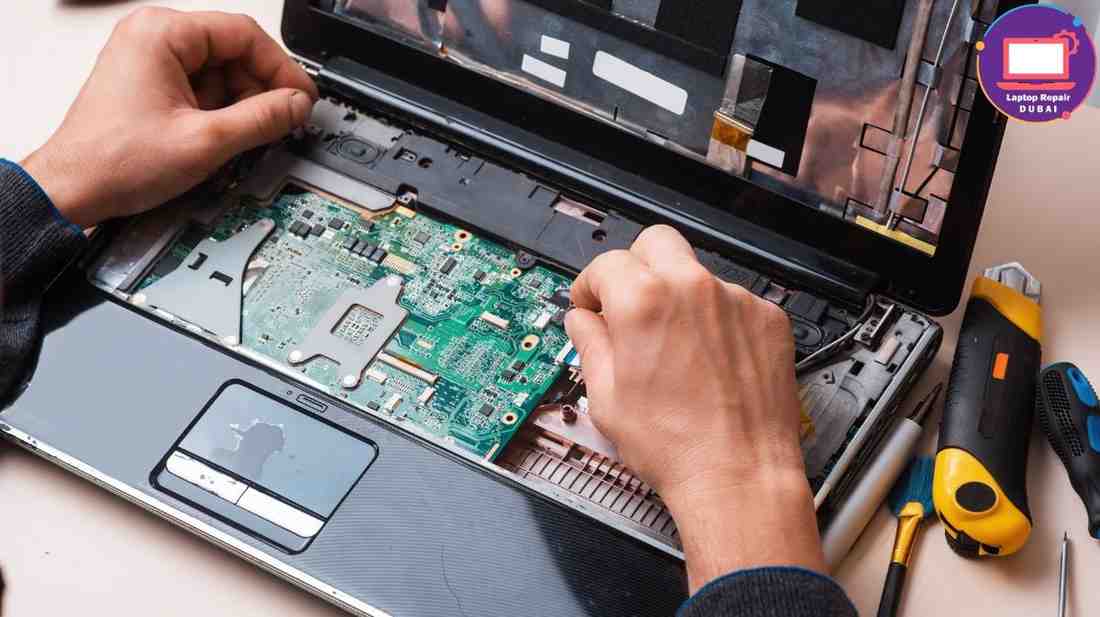
— Internal Dust & Heat Buildup (The Silent Performance Killer)
Dust doesn’t announce itself. It just settles so quietly inside office laptops.
Fans spin harder. Heat has nowhere to go. And slowly… performance drops.
Basic tasks lag, and systems heat up faster. Someone says, “This machine wasn’t this slow last month… right?” That’s trapped heat doing damage.
Regular internal cleaning keeps components cool and prevents thermal stress during long, long workdays.
With this, employees stop fighting devices that should be helping them.
Key things this improves:
- Smoother performance throughout the day
- Fewer overheating and fan-noise complaints
- Longer lifespan for internal components
💡 Expert tip:
Schedule internal cleaning at least twice a year. In dusty office environments, even more often. If laptops already overheat, maintenance is overdue—not optional.
— Software Updates That Don’t Interrupt Work
Outdated systems feel heavy. You can feel it, right?
Apps take longer to open. Fans get louder. And those security warnings? Always at the worst possible moment.
⏳ You pause. You wait. You think, “Why is this laptop struggling again?”
That’s what regular maintenance quietly prevents, and software works the way it’s supposed to—without surprise restarts or tools crashing mid-task.
Work flows. Teams stay focused. And the IT team doesn’t spend the day putting out fires that shouldn’t exist in the first place.
Key things this improves:
- Faster system response
- Fewer compatibility issues
- Better security stability
💡 Expert tip:
Plan updates during low-usage hours. Random updates during work hours hurt productivity more than people realize.
— Storage Health Checks (Before Everything Feels “Heavy”)
Note this: Storage never fills up suddenly. It creeps in.
A few temporary files here. Old downloads there. Forgotten folders.
At first, no one notices, and then files take forever to open. And someone mutters, “Why is this laptop acting sooo weird?” Usually, employees blame your company device here…
But when you do regular storage checks, clear junk, manage space, and keep read-write speeds healthy.
It feels like breathing room again. Less waiting. More smooth and uninterrupted flow.
Key takeaways:
- Removes hidden clutter before it affects speed
- Keeps file access fast and predictable
- Reduces “slow laptop” complaints without upgrades
💡 Expert tip:
Set storage reviews quarterly. Waiting for “low space” warnings is already too late.
— Battery Health Monitoring (So Mobility Doesn’t Disappear)
Batteries don’t fail loudly either. They just… last a little less each week.
One hour becomes forty minutes. Then twenty. Then panic.
Employees stay plugged in, but meetings get awkward. Also, during presentations? Everyone watches the battery icon more than the screen.
Here, if you do regular battery health checks, then this will help your organization replace batteries before shutdowns happen.
No surprises. No last-minute scrambling. Just a predictable backup time your valuable employees can trust.
Key takeaways:
- Prevents sudden shutdowns during critical work
- Helps plan replacements instead of reacting
- Restores confidence in portable work
💡 Expert tip:
Track battery cycles, not just age. Some batteries fail faster than expected.
— Hardware Diagnostics (Problems You Can’t See Yet)
Not every problem makes noise. Some sit quietly inside and waiting…
Your laptop’s memory starts misbehaving, and connections loosen.
Nothing crashes. Not yet. But something feels off.
Regular hardware diagnostics will catch these non-noticeable issues early—before downtime and before emergency calls. It’s the difference between planned maintenance and sudden failure.
Key takeaways:
- Detects internal issues early
- Reduces emergency repair situations
- Keeps laptops dependable, not risky
💡 Expert tip:
Run diagnostics even when systems “seem fine.” Silence isn’t proof of health.
— Performance Tuning (Because Slowness Builds Over Time)
No one installs a slow laptop. Do you? Nooo right… Slowness just builds automatically.
Extra startup programs and background tools nobody remembers approving. They are 24/7 processes running for no reason.
Nothing is “broken.” Yet everything feels slower.
Performance tuning can simply clear that mess. Just do this now and see the performance speed again…
Key takeaways:
- Faster startup and smoother operation
- Reduces background strain on systems
- Improves daily task flow immediately
💡 Expert tip:
Performance tuning isn’t a one-time fix. Make it part of ongoing maintenance cycles.
— Security & Data Protection Checks (Without Disrupting Work)
Keep in mind that unmaintained laptops become risky without warning. Outdated security tools or weak system settings.
Nothing obvious—until something goes wrong. Regular security checks keep protection strong without slowing devices down. Updates stay controlled. Settings stay aligned. Sensitive data stays where it belongs.
Key takeaways:
- Prevents silent security gaps
- Protects organisational data
- Avoids panic-driven fixes after incidents
💡 Expert tip:
Security maintenance should feel invisible to users—but powerful in the background.
— Scheduled Maintenance (Why Everything Feels Calmer)
When laptop maintenance runs on a schedule, the entire work environment starts to feel different.
Benefits you’ll get: Fewer urgent complaints and far less tension between teams who are trying to get work done. Employees start trusting their laptops again, and IT teams stay ahead of problems instead of constantly reacting to them.
And honestly, when work feels calm and controlled, productivity improves naturally. That steady rhythm is what helps organizations grow without unnecessary friction.
Key takeaways:
- Builds trust in devices
- Reduces reactive IT work
- Supports long-term operational stability
💡 Expert tip:
As any expert suggests regarding the IT industry, consistency matters more than intensity. When you keep small and regular maintenance in mind, they won’t require heavy fixes every time.
Professional Maintenance Makes the Difference (Why DIY Isn’t Enough)
Here’s the bitter but honest truth… Organizations don’t struggle because they ignore laptops.
They struggle because maintenance feels completely technical and time-consuming. Professional laptop maintenance follows a structured process.
🔧 Internal cleaning without damage. Diagnostics without guesswork. Updates without disruption.
Experienced technicians spot early warning signs that your team could miss sometimes or every day.
Signals like weak batteries, thermal stress, and failing components. All before productivity takes a hit. This is where expert laptop repair Dubai services quietly protect organizations by preventing breakdowns entirely.
Maintenance should be predictable, not reactive. Partnering with professionals removes pressure from internal IT teams and keeps work moving without interruptions.
Read about – Data Safety During Laptop Repair—What Customers Should Know
To Sum Up: Laptop Maintenance Isn’t a Cost—It’s Control
Remember, your laptops don’t fail overnight. They warn you first. Slowly. Subtly. Repeatedly…
When you ignore maintenance, they turn minutes into hours and small delays into lost productivity + urgent problems.
But when maintenance runs on schedule, everything feels manageable. That’s why organizations that prioritize regular laptop care also protect focus and momentum. And in business, that control matters more than most people realize.